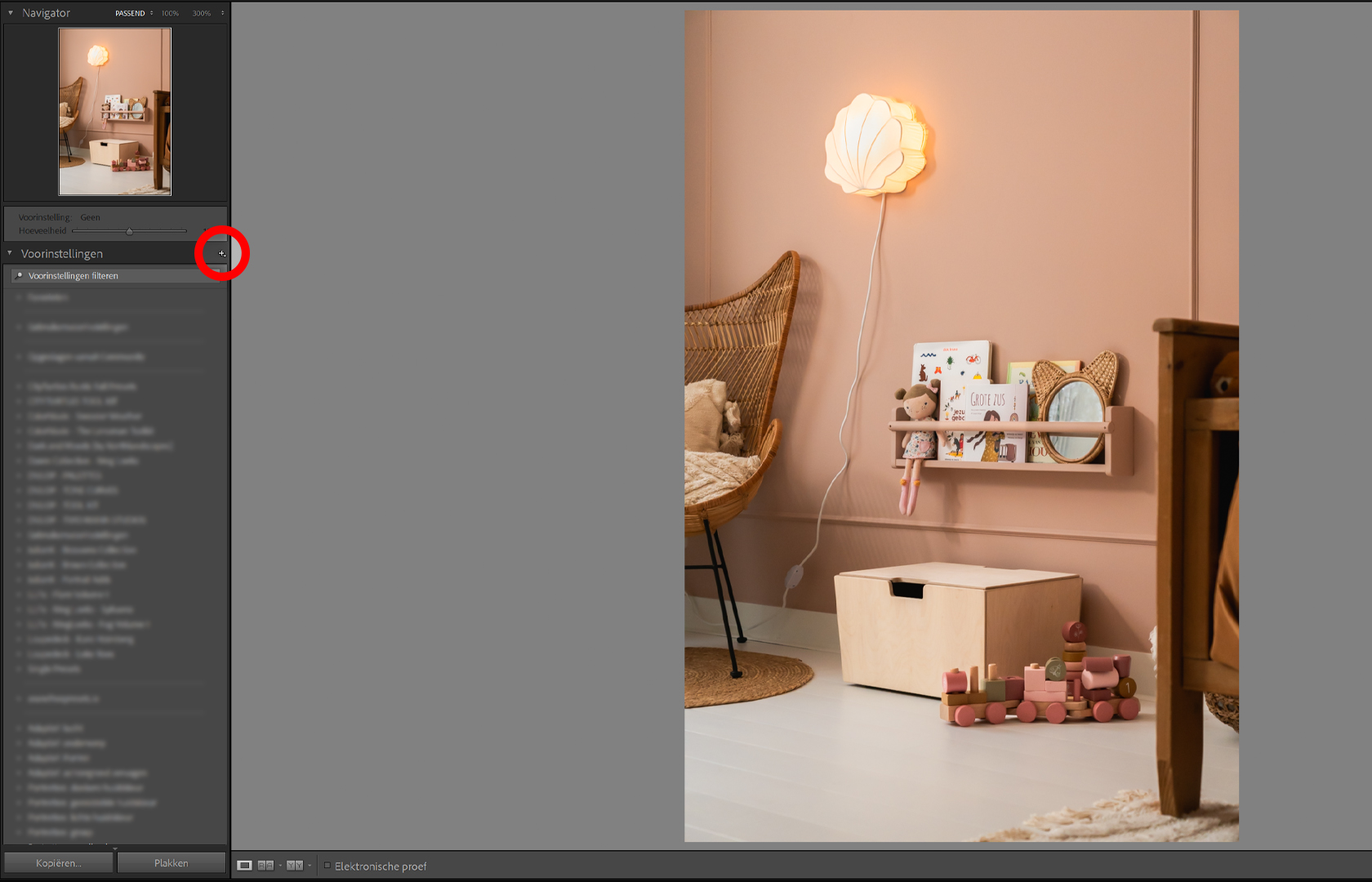
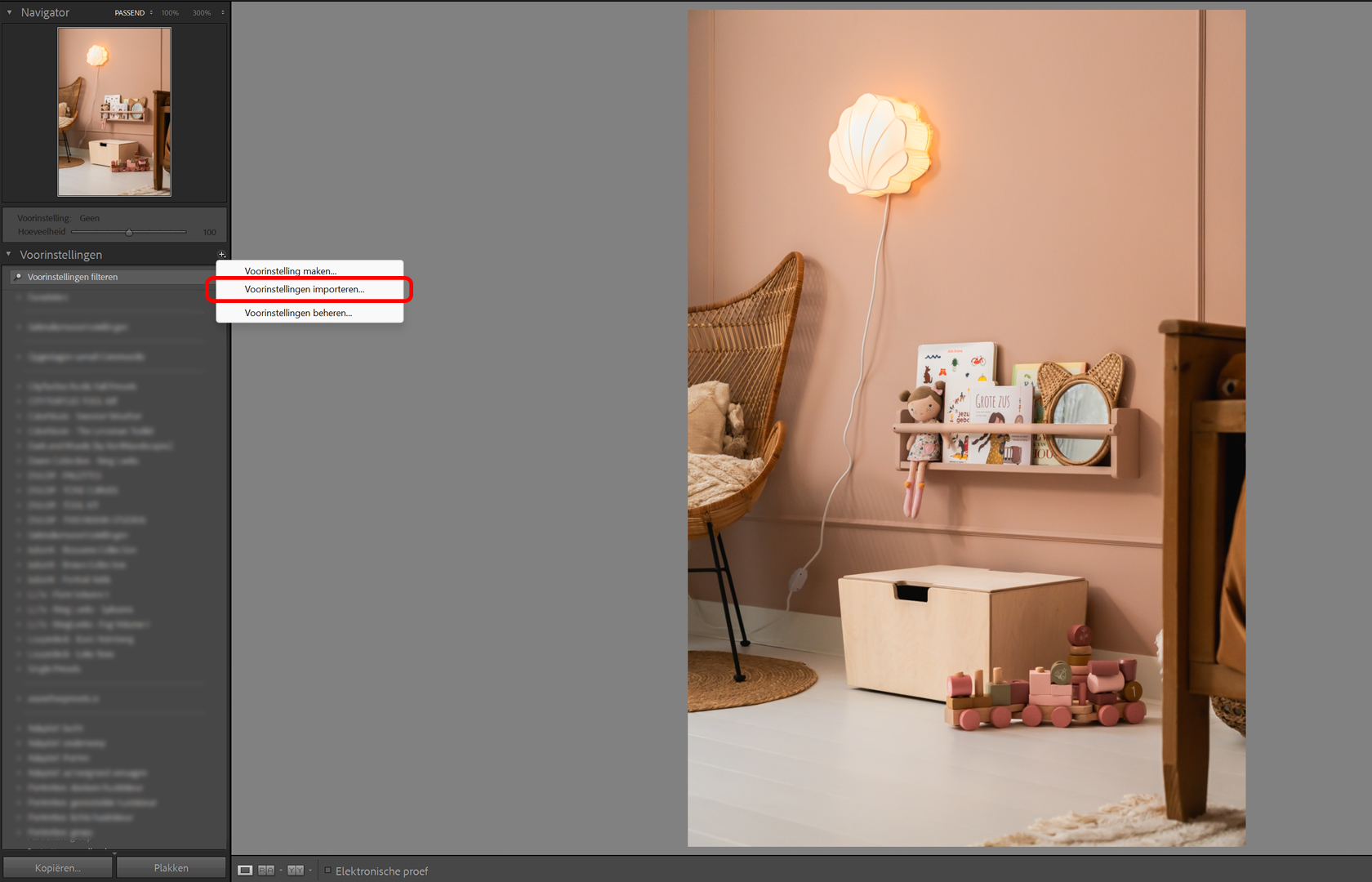
How to install Presets? Step 1: Download the files after purchasing the Preset you want. Save the files to your computer. Step 2: Launch Adobe Lightroom Classic. Step 3: On the left side of your screen you will see all the presets. At the top you see a '+'. Click on the '+'. Step 4: Click on 'Import Preset'. Step 5: Locate the file you downloaded. Select the file and click 'import'. Step 6: Now your Presets have been imported! You can now find your Presets on the left side of your screen with all your Presets.