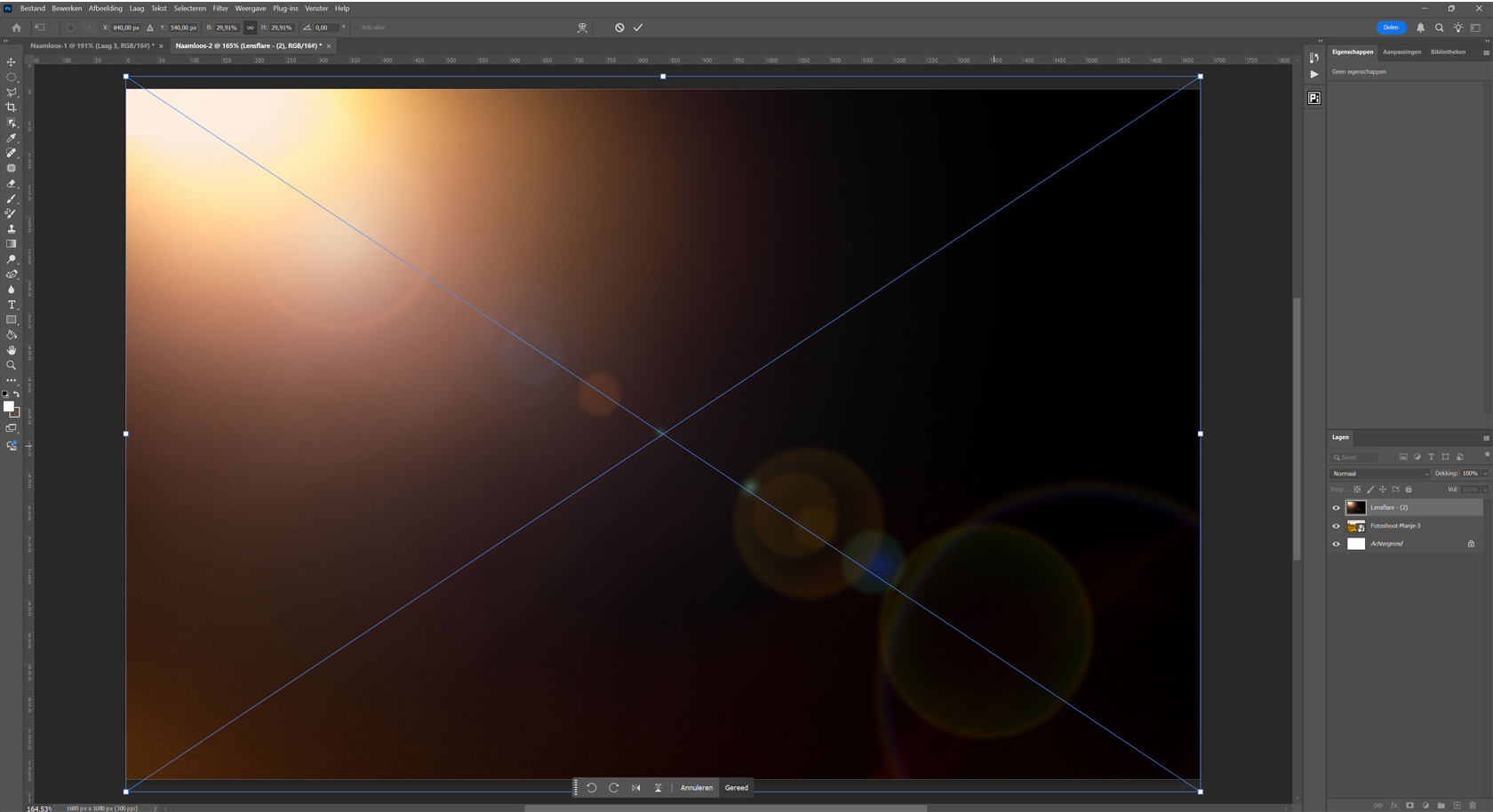
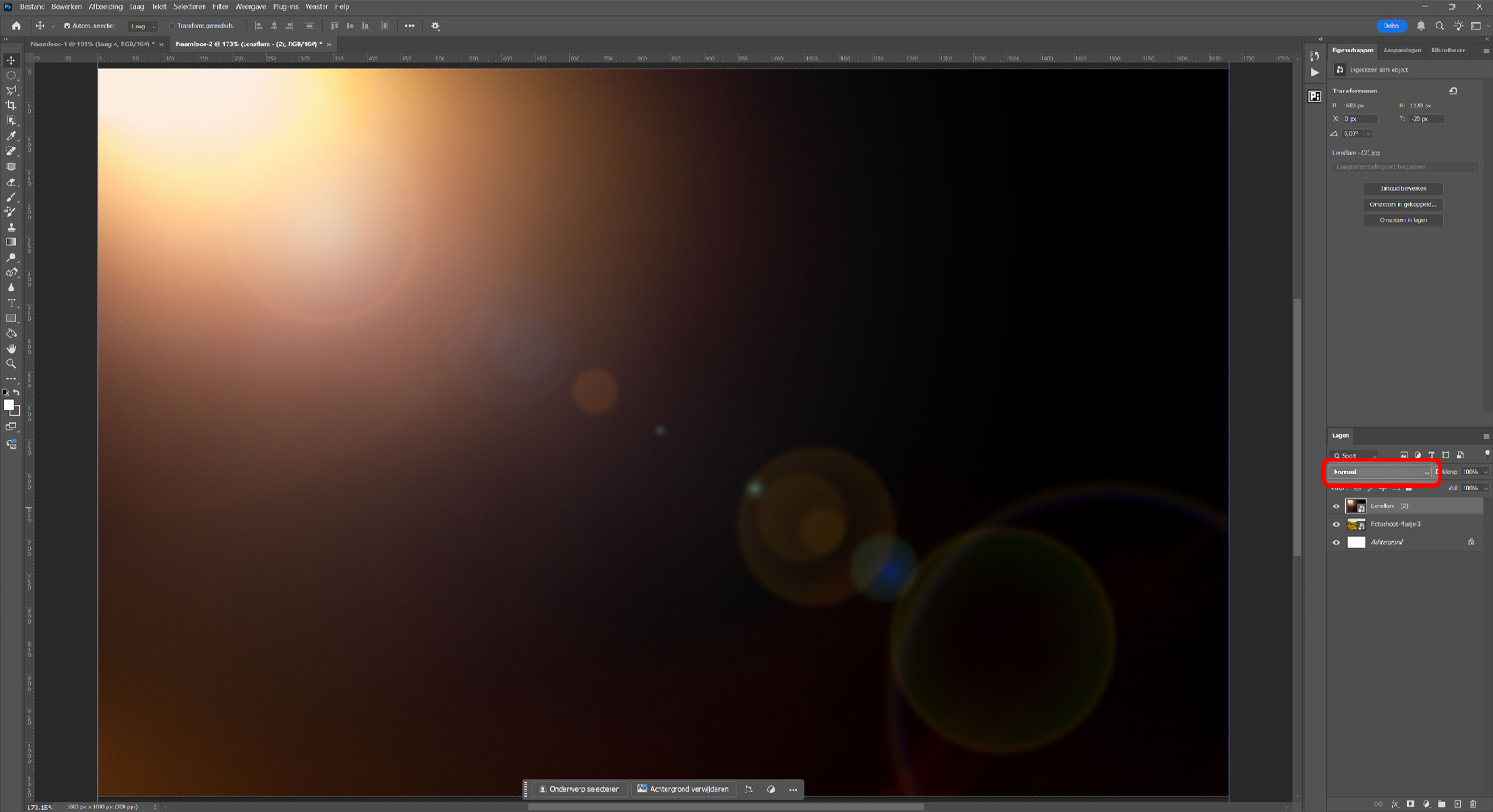
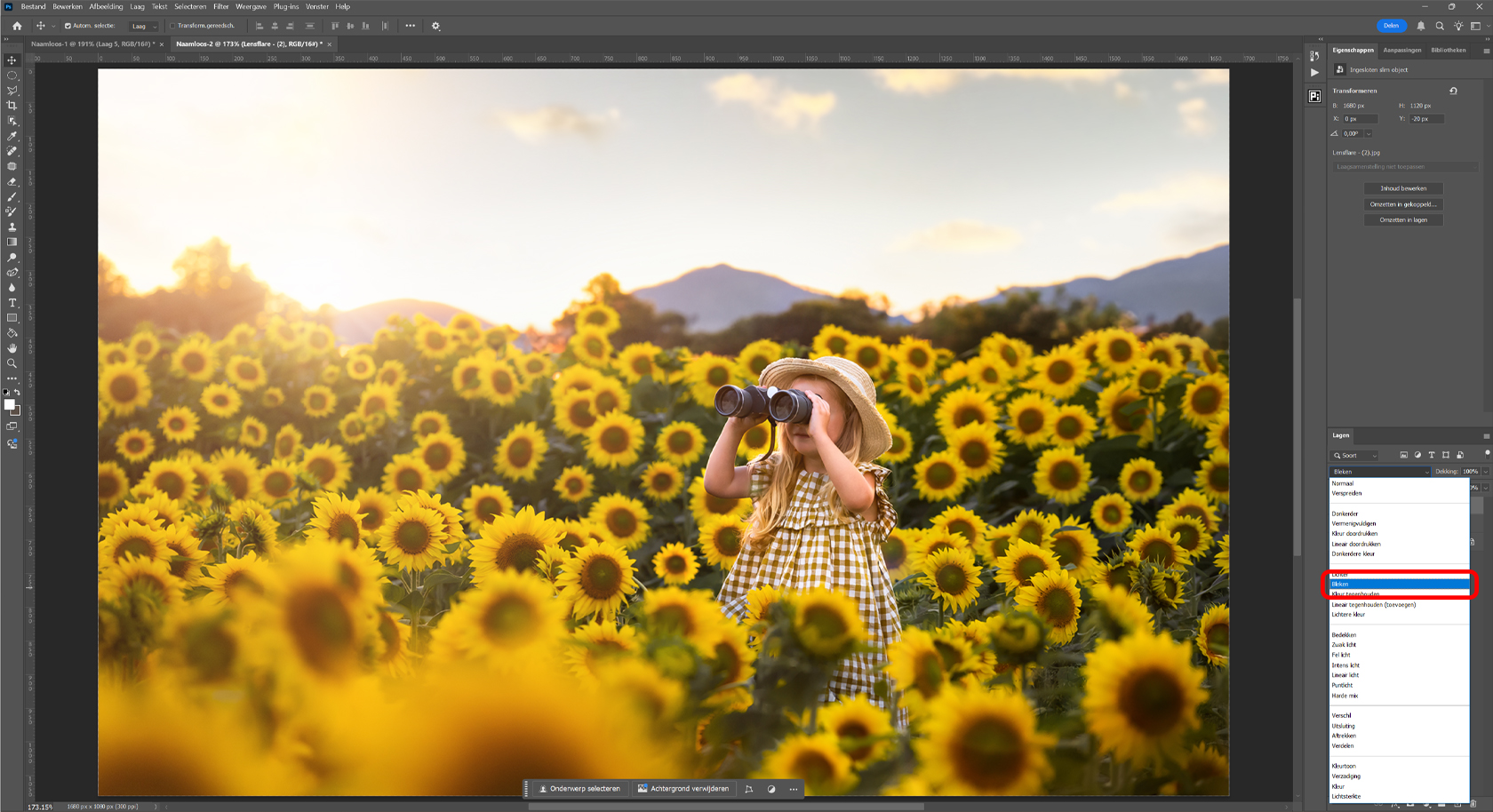
How to use Overlays? Step 1: Download the files after purchasing the Overlays you want. Save the files to your computer. Step 2: Launch Adobe Photoshop. Step 3: Open your photo. Drag and drop the Overlay over the photo in Photoshop.Place your Overlay beautifully over your photo, exactly how you want it. Step 4: On the left side of your screen above your layers, click the bar that says 'Normal'. Step 5: Click on 'Screen' in the list. Step 6: Now you're done and the Overlay is properly applied over your photo!